
A funeral livestream checklist should cover permission, audience access, camera framing, sound, content rights, and a fallback plan. Assign a person to monitor what remote guests actually receive. A camera that is recording successfully does not prove that relatives can open the link, hear the speakers, or understand what happens if the connection fails.
This guide is for funeral directors arranging a livestream themselves or selecting a local production provider. Treat streaming and recording as separate decisions. A family may welcome remote attendance without wanting a permanent recording, a public link, or footage of guests.
Start the funeral livestream checklist with permission
Agree who authorizes the stream, which parts of the service are included, and whether the audience is public or restricted. Explain the limits of any access controls in plain language. Confirm whether a recording will exist, who can receive it, how long it will be retained, and whom the family contacts about changes.
Tell speakers and attendees what will be filmed and provide an appropriate way to avoid the camera. Plan a camera angle that emphasizes the agreed ceremony area rather than close views of mourners. Document the family's preferences and check that the production provider receives the same instructions as the funeral home's staff.
Test sound from a remote guest's position
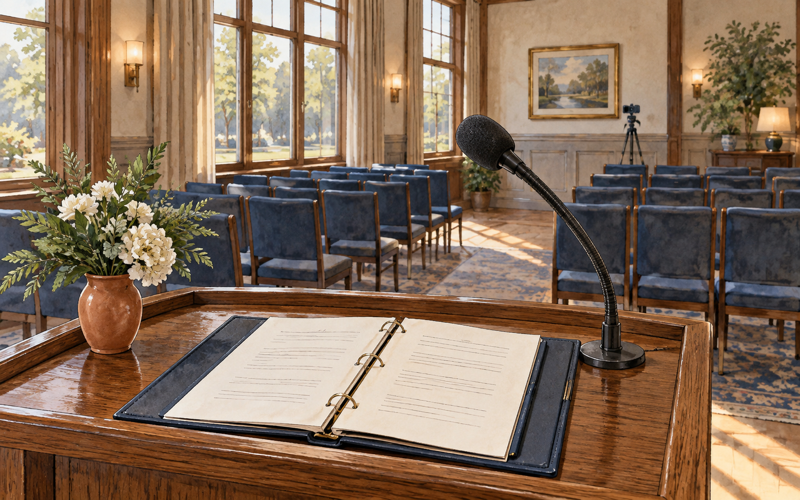
Run a rehearsal using the actual room, microphones, platform, and connection. Have a colleague outside the production setup open the invitation on an ordinary device and listen. Check quiet speech, family speakers who move away from the lectern, and transitions between microphones. A successful picture with inaudible words is still a failed guest experience.
Send a simple invitation with the date, time zone, access steps, and a support contact. State when the stream is expected to begin. For guests who need communication support, discuss suitable arrangements early. Do not describe automatic captions as an assured substitute for every person's communication needs.
Check music and other content before streaming
Review all planned music, readings, photographs, and video with the provider. Ask who establishes the permissions needed for the actual uses, including livestreaming and later playback. The U.S. Copyright Office's music guidance distinguishes the musical composition from the sound recording; permission involving one does not automatically settle rights in the other.
A venue arrangement or purchased recording should not be assumed to cover every online use. Ask for written confirmation of the relevant permissions or choose material whose use is properly cleared. When rights are uncertain, resolve the issue before the service rather than leaving the operator to make a decision during a tribute.
Agree on failure and interruption procedures
Decide what the operator will do if the connection drops, sound fails, or the platform interrupts the stream. Assign a separate staff contact for the family so the operator can concentrate on recovery. State whether a locally recorded copy is an agreed fallback and what happens if that copy is also unavailable.
YouTube's livestream guidance explains that third-party content can interrupt a stream; licensed content may still require coordination with the rights holder's Content ID allowlist. Test your chosen platform's process. Do not guarantee uninterrupted access simply because the equipment worked in rehearsal or the family supplied the music.
Close the service as carefully as it began
Confirm the stream has ended before staff or family begin private conversations near an active microphone. Check the recording against the agreed scope before sharing it. Send access information only to the intended recipients, and carry out the retention or deletion arrangement. Make any technical problem part of a factual service review.
When selecting a recurring provider, compare audio skills, privacy practices, local availability, replacement equipment, and support for remote guests. Ask for a demonstration using your room. A clear description of limitations and recovery steps is a stronger foundation than promises about picture quality alone.
Step by step
Put it to work this week
Adapt these steps to your team, service area, and responsibilities.
Agree on scope
Record audience, camera boundaries, recording permissions, access controls, and retention arrangements.
- Who does it
- Arranger
- When
- This week
Run a remote rehearsal
Test the invitation, sound, picture, and support process from a guest device outside the production setup.
- Who does it
- Stream operator
- When
- This week
Rehearse the fallback
Assign the person who updates the family and confirm what is shared if the live connection fails.
- Who does it
- Lead director
- When
- This week
Questions professionals ask
- What is the most important funeral livestream test?
Listen from a remote guest's device using the actual invitation and service setup. Confirm that speech is understandable and that access instructions work. Test microphone changes and identify who will monitor the guest experience throughout the ceremony, rather than checking only the camera preview.
- Does buying a song permit funeral livestream use?
A purchased recording does not by itself establish permission for every online use. The composition and recording can involve separate rights. Confirm permissions for the stream and any recording with the provider and relevant rights holders, or select material cleared for the intended use.
- Should every funeral livestream be recorded?
No. Discuss recording separately with the family and document the agreed audience, delivery, retention, and deletion arrangements. Explain what a recording can and cannot provide as a fallback. Staff and the production provider should follow the same instructions about filming and later access.
Sources and references
These references support the guidance in this article. Each entry names the source and the date we checked it. Open the links for more detail, and confirm current requirements, availability, or costs with the relevant organization before relying on them.
- U.S. Copyright Office — Music and Copyright · checked
These works are subject to different rules and are commonly owned and licensed separately.
- YouTube — Copyright Issues with Live Streams · checked
If the third-party content remains in your stream, your live stream will be temporarily interrupted or terminated.